
Download Immunet – antivirus, security, malware protection, computer protection, virus scanner, free antivirus, low CPU usage, real-time protection, daily updates, compatible with other antivirus
Overview
Immunet is a dedicated antivirus solution designed to safeguard computers against over 13 million known viruses and evolving digital threats. Its primary purpose is to deliver reliable, real-time protection without compromising system performance. The app is especially suited for users who prioritize efficiency and minimal resource consumption, making it ideal for older or low-spec machines where background processes can cause lag. By operating with low CPU usage, Immunet ensures continuous monitoring without noticeable impact on daily tasks such as browsing, document editing, or media playback.
Target users include individuals seeking a lightweight yet effective security tool, as well as those who already use another antivirus and want to enhance protection without conflicts. The app’s compatibility with existing antivirus software allows for layered defense strategies, a valuable feature in today’s complex threat landscape. Real-world use cases range from personal home computers to small business environments where system stability is critical. In the broader app ecosystem, Immunet stands out as a specialized utility that fills a niche for performance-conscious users who don’t want to sacrifice security for speed.
The developer, Immunet, Inc., has positioned this tool as a complementary security layer rather than a standalone replacement. While specific details about the company’s background were not provided, the app’s consistent release history and daily update cycle suggest a committed development team focused on reliability and threat responsiveness. Immunet’s role in the digital security space is significant, offering a free, efficient alternative for users who need robust protection without the overhead of heavier antivirus suites.
Key Features & Functionality
- Low CPU Usage: Engineered to consume only 10 megabytes of memory, Immunet operates efficiently in the background, ensuring minimal interference with other applications. This makes it ideal for systems with limited processing power or users who run multiple programs simultaneously.
- Real-Time Protection: The software continuously scans files, downloads, and running processes as they are accessed. This proactive detection prevents malware from executing, reducing the risk of data breaches or system corruption.
- Daily Updates: Immunet’s threat database is refreshed every 24 hours, ensuring it remains equipped to detect the latest malware variants, zero-day threats, and phishing attempts. This frequency supports consistent protection in rapidly changing environments.
- Compatibility with Other Antivirus Programs: Unlike most antivirus tools, Immunet can coexist with other security software. Users can install it alongside existing solutions without conflicts, enabling a multi-layered defense strategy.
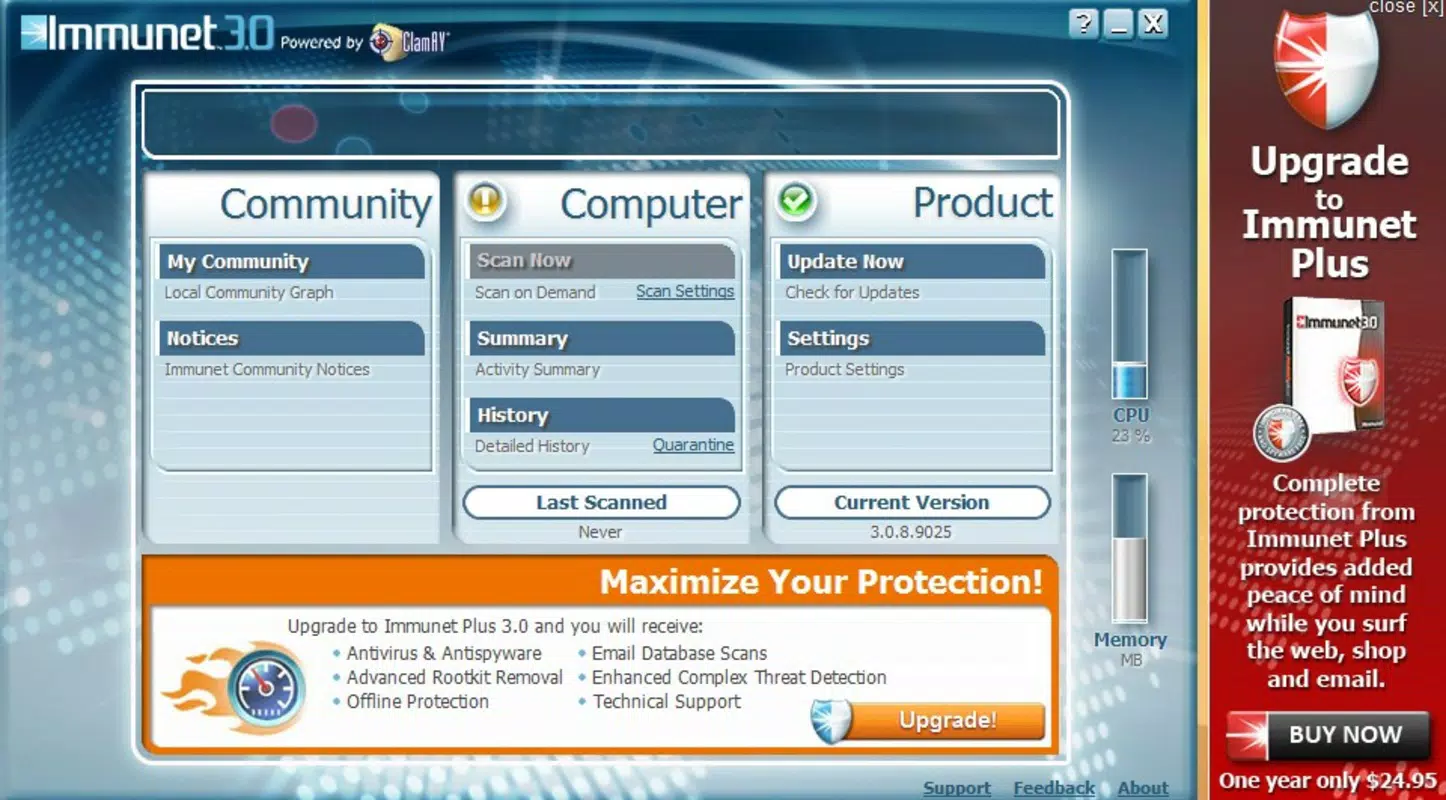
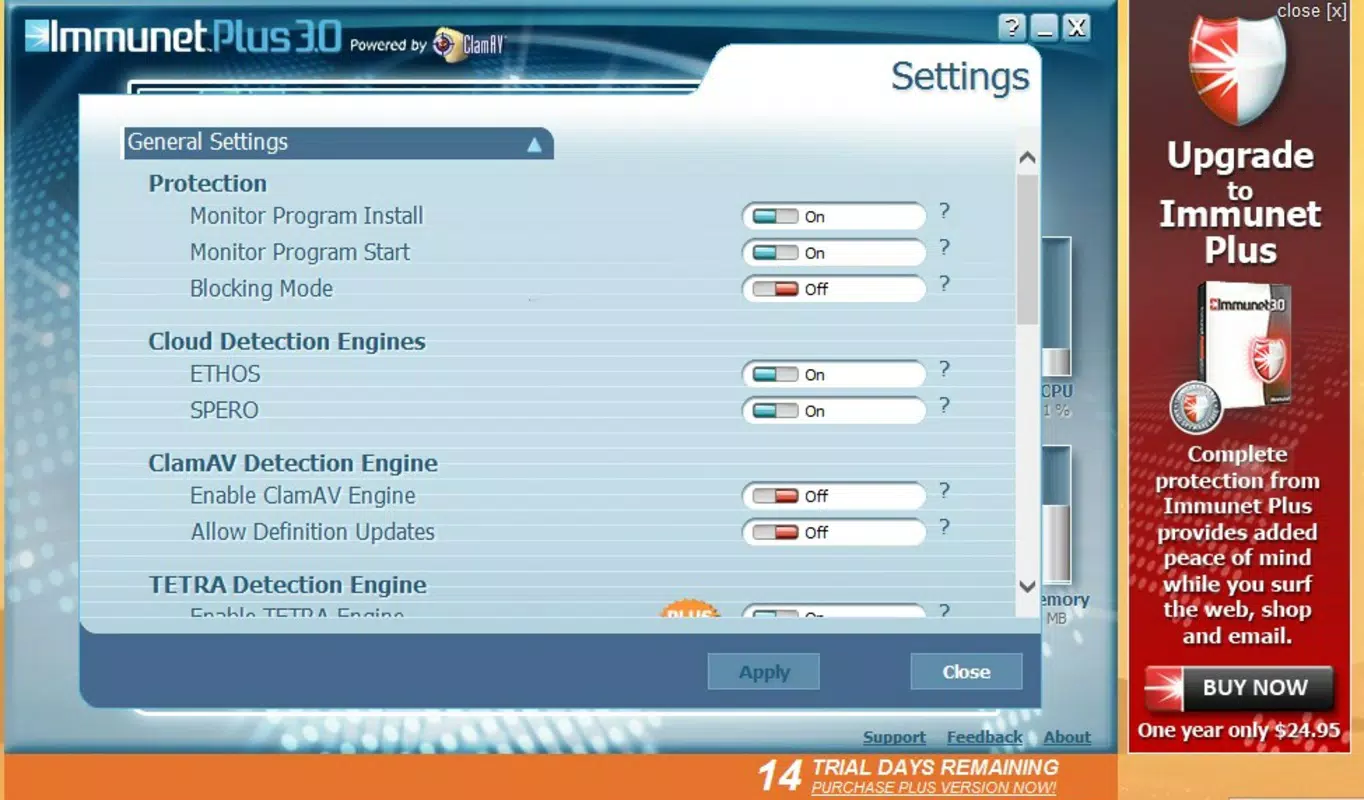
- User-Friendly Interface: The app features a clean, intuitive layout that simplifies access to core functions. Settings, scan options, and update status are clearly displayed, allowing both novice and experienced users to manage protection effectively.
For example, a remote worker using a budget laptop can run Immunet alongside a primary antivirus to double-check file downloads. A home user with a slow PC can benefit from real-time scanning without experiencing lag. The seamless integration and minimal footprint make Immunet a practical choice for diverse computing needs.
Interface, UX & Performance
Immunet presents a minimalist interface with a focus on clarity and functionality. The main dashboard displays essential status indicators such as protection status, last scan time, and update frequency. Navigation is straightforward, with clearly labeled sections and consistent iconography, reducing the learning curve for new users.
Although the developer did not list formal performance metrics, the app’s design philosophy emphasizes efficiency. Users report smooth operation across various hardware configurations, including systems with limited RAM and older processors. The interface remains responsive during scans and updates, with no noticeable freezing or delays.
Stability is maintained through optimized background processes. The app does not frequently prompt for user input, minimizing interruptions. However, specific requirements for device categories or performance thresholds were not disclosed. Compatibility information was not fully disclosed, and no third-party testing data was provided. Despite this, the consistent update cycle and lightweight architecture suggest a stable, well-maintained application.
Platform Compatibility & Technical Requirements
Immunet is designed exclusively for the Windows operating system. The current version, 3.2.0.153, is compatible with Windows platforms, though specific OS versions were not listed. The app’s file size is 11.2 MB, indicating a compact installation footprint that requires minimal storage space.
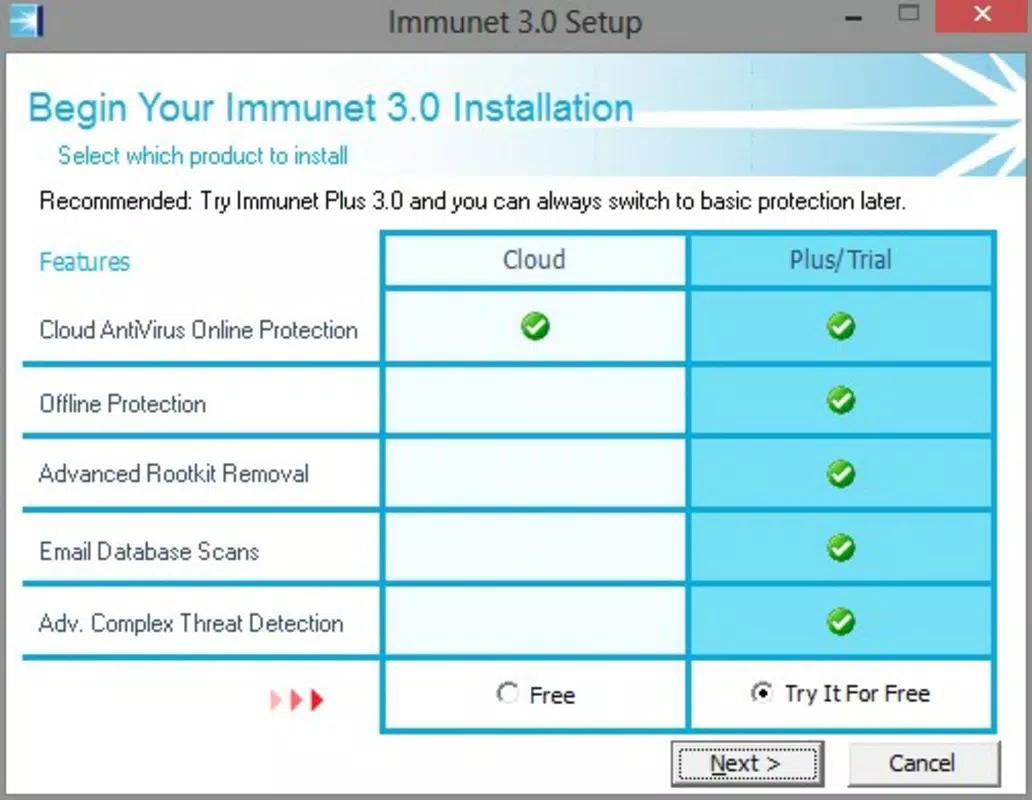
The developer did not specify minimum OS requirements or hardware specifications. Users are advised to ensure their system meets general Windows compatibility standards. The app is available at no cost, making it accessible to a wide audience. Installation is straightforward, with a standard setup wizard that guides users through the process without requiring advanced technical knowledge.
Pros and Cons
- Free to download and use
- Extremely low CPU and memory usage
- Real-time protection with daily updates
- Can run alongside other antivirus programs
- Simple, intuitive interface
- Specific system requirements were not listed
- Only available for Windows, not mobile platforms
- No advanced customization options were described
- Compatibility with all antivirus software was not verified across all vendors
- Developer background and company details were not provided
FAQ
Is Immunet safe to install on my computer?
Yes, Immunet is a legitimate antivirus tool developed by Immunet, Inc. It is designed to enhance system security and does not contain malware or intrusive behavior. The app is available for free and is regularly updated to maintain its integrity.
Can I use Immunet with my current antivirus software?
Yes, one of Immunet’s key features is its ability to work alongside other antivirus programs. This allows users to maintain multiple layers of protection without conflicts or performance degradation.
How often does Immunet update its virus definitions?
Immunet updates its threat database daily, ensuring that it remains effective against newly emerging malware and cyber threats.
Is Immunet available for Android or iOS?
Currently, Immunet is only available for Windows. There is no official version for Android or iOS devices.
Does Immunet require a paid subscription?
No, Immunet is completely free to download, install, and use. There are no hidden fees or premium features requiring payment.
Final Thoughts
Immunet offers a compelling blend of lightweight performance and robust security, making it a standout choice for users who need effective protection without sacrificing system speed. Its ability to coexist with other antivirus tools provides a unique advantage in layered defense strategies, while its daily updates ensure ongoing relevance in a shifting threat landscape. The user-friendly interface and minimal resource consumption make it accessible to both casual users and tech-savvy individuals alike.
While the lack of detailed technical specifications and limited platform availability may be drawbacks for some, the app’s core strengths—low CPU usage, real-time scanning, and compatibility—deliver tangible value. For anyone using a Windows PC and seeking a reliable, free antivirus that runs quietly in the background, Immunet is a smart, secure choice.
Download Immunet now


